How to Move an Agent Workspace Between Sandbox Providers
Preserve workspace state by choosing storage independent of any single sandbox provider.
Sponsored by Archil
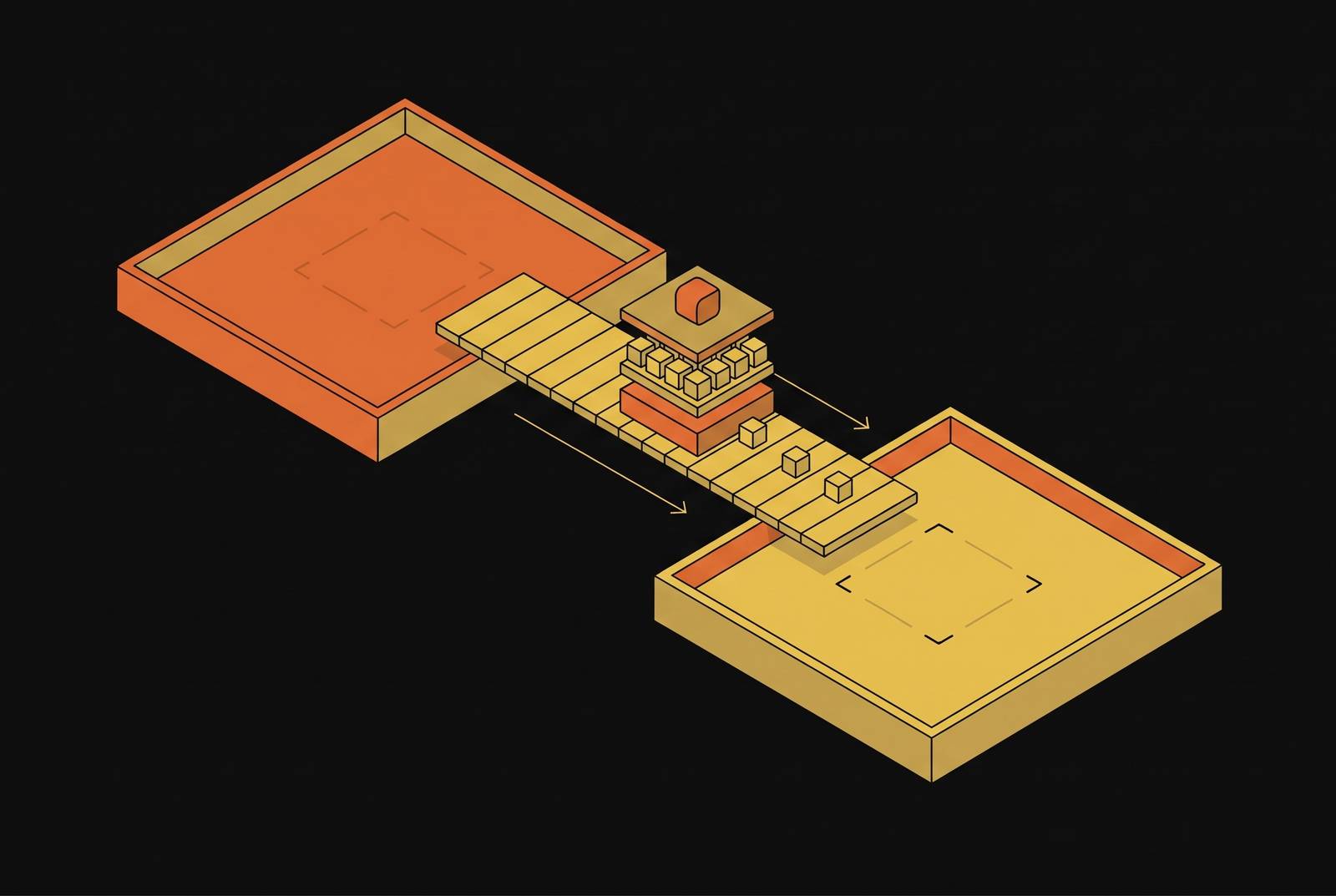
Moving an agent workspace between sandbox providers is a storage problem as well as a code-transfer problem. The options are rebuilding from git, restoring an archive from object storage, using provider volumes where their mounting limits allow it, or mounting one network file system in both providers. The last one matters most when the move has to preserve dependencies, build caches and unfinished work, not just committed code. The central rule is simple. A workspace can move between providers only if its state is not trapped inside either one.
How to move an agent workspace between sandbox providers
The cleanest separation is to keep the workspace in a file system that both providers can mount, provided their sandboxes support FUSE. This makes the storage independent of the sandbox running the agent. The alternative is to reconstruct or copy the workspace every time the agent moves. Neither is automatically wrong. The right choice depends on whether the workspace is mostly code that can be replaced or has work that would take too much time or money to recreate, if it could be recreated at all.
For a workspace with installed dependencies, warm caches and unfinished edits, a shared network file system avoids making a full archive and restore the price of every move. If the workspace state that needs to survive is already committed, git is a simpler way to move it. An archive sits between those approaches because it transfers the workspace rather than rebuilding it, but still requires a copy. Provider volumes keep storage alive after a sandbox ends, though another provider may still be unable to use it. Persistence and portability are different promises.
The practical recommendation is to match the migration method to the state that must survive. Rebuilding makes sense when a team can afford to reinstall dependencies and lose the warm build cache. Archiving makes sense when the full workspace needs to travel and the restore wait is acceptable. A cross-provider file system is the stronger fit when repeatedly copying that state would dominate the move.
What a workspace has to carry
A repository is only part of an agent workspace. The complete workspace includes uncommitted changes, installed dependencies such as node_modules, build and test caches, and the agent’s own notes or state files. Those pieces serve different purposes, but a migration can depend on all of them. A successful clone is therefore not, by itself, proof that the agent can pick up where it stopped.
Uncommitted changes are the clearest example of that gap. They belong to the working repository, but rebuilding from a pushed branch requires committing them first. Agent notes and state files also need a place in the migration rather than an assumption that “the repo” includes everything useful. Dependencies and caches introduce a different cost because they contain many small files. Moving those files one object at a time can be slow even when the task sounds like a simple copy.
A workspace with node_modules and build caches is a collection that can be expensive to transfer piece by piece. When that collection lives on a network file system from the outset, the next sandbox mounts it instead of waiting for the entire workspace to be archived and restored on each move.
Rebuild from git on every move
The git approach starts by pushing the branch, then starting a sandbox on the other provider, cloning the repository and reinstalling dependencies. It is straightforward and provider-neutral. For workspaces that can be reconstructed from committed source, that is an appealingly small set of moving parts. There is no full-workspace archive to prepare and restore.
The trade-off begins before the clone. Uncommitted work must be committed first if it is to travel with the branch. The agent must therefore reach a commit before it can move, even if it has yet to reach a natural stopping point. Notes and state files must also be accounted for if they are needed after the move. Git can be the foundation of the transfer, but it does not make other workspace state disappear.
Every move also pays for dependency installation and a cold build cache. Those costs follow from choosing to reconstruct the workspace. A team that can afford those costs gets a simple way to move that depends little on how either sandbox provider handles storage. A team trying to retain a ready-to-run working environment is asking this approach to do a different job.
Archive to object storage and restore
An archive transfers the workspace as a bundle, packed into a tar archive and written to a bucket before the sandbox ends. The next sandbox extracts it. This approach works anywhere and can include the dependencies, caches and unfinished work that a git-only move would otherwise need to address separately.
The cost moves from installation to copying. As the workspace grows, so does the archive that must be transferred. The next sandbox waits for the full restore before it starts, which places the transfer directly in the path of resuming work.
Archiving also depends on a successful departure. If the sandbox dies before the archive is written, its changes are lost. For a planned move, the archive can preserve a complete workspace at the point it was created. For a failure before that point, the intended archive offers no protection for changes that never reached it.
Provider volumes
Provider volumes let storage outlive an individual sandbox. That is useful, but the volume is mounted by that provider’s sandboxes. The distinction is easy to miss because both persistence and portability sound like ways to “keep the files.” Only one describes access from a different provider. A disk can survive the end of a sandbox while remaining tied to the same provider’s environment.
For a cross-provider move, the useful question is therefore not just whether the volume remains after shutdown. It is whether the destination sandbox can mount the workspace. The workspace still needs reconstruction, an archive, or storage that both sides can use.
Provider volumes fit a need in which storage should persist while sandboxes come and go within the provider’s mounting model. A long-lived workspace and a movable workspace are not interchangeable.
Mount one network file system in both providers
If both providers’ sandboxes support FUSE, the same file system can be mounted in each. Instead of packing the workspace at departure and unpacking it at arrival, the migration changes which sandbox accesses the stored files. The file system has to support the operations package managers and git require, such as atomic rename, symlinks, random writes and appends. One example is Archil, a POSIX file system that mounts over FUSE; its compatibility page lists random writes, appends, symbolic and hard links, and atomic renames, and it publishes guides for mounting a disk in Daytona and E2B sandboxes.
A mounted bucket is not automatically equivalent. Direct S3 mounts can have limitations on operations such as rename and random writes, which rules out many build workloads.
This is where the network-file-system approach earns its place in the comparison. Git rebuilds the workspace, an archive copies it, and a provider volume keeps it within a provider’s mounting model. A file system that both sides can use frees the workspace from those limits. For an agent with many dependencies and caches, that can remove the need to transfer the entire collection on each move. It also preserves unfinished work without requiring that every migration begin with a commit.
Access still needs a defined hand-off. A plain Archil mount is exclusive, with one sandbox using it at a time. Cross-provider access should not be confused with simultaneous access to that same plain mount. The source sandbox has to finish its use of the workspace before the destination takes over. Portability is not permission for two moving crews to drive the same truck.
Durability adds another step to that hand-off because the client buffers recent writes. In Archil's guides, the sandbox runs archil unmount, or archil sync and then archil checkin where the mount can't be detached, to send those buffered writes to the disk and release it before the sandbox ends. The exact shutdown sequence belongs to the integration rather than to a guess that stopping the sandbox will finish everything.
A checklist for a cross-provider workspace
A file-system mount has to be permitted, its operations have to fit the tools, and its hand-off has to cover recent writes. Failure behavior deserves separate attention from the planned shutdown path.
- Does each provider’s sandbox support FUSE, and does mounting need root?
- Does the file system support rename, symlinks, random writes and appends, which npm and git rely on?
- What does fsync guarantee, and how does a sandbox flush and release the workspace before it ends?
- What happens to the lock or lease if a sandbox dies without releasing it?
- How far is the storage region from each provider’s region?
- Can the app read the workspace without starting a sandbox?
The answers also set the limits of the recommendation. A shared network file system suits a full workspace moving across FUSE-capable providers, as long as the exclusive mount and the hand-off of buffered writes are treated as part of the design; git or an archive remain simpler when only committed code has to travel. The decision is not which approach keeps files somewhere, but which one lets the next sandbox resume the work that actually needs to survive.
This article is sponsored by Archil.